Getting Started
Set up your Bennett ERP credentials to use the app
⚠️Before You Begin
- •You need your myCamu direct login credentials (email & password)
- •This is NOT the same as your Microsoft/Outlook password
- •After 3 failed login attempts, you'll be locked out for 15 minutes
1
2
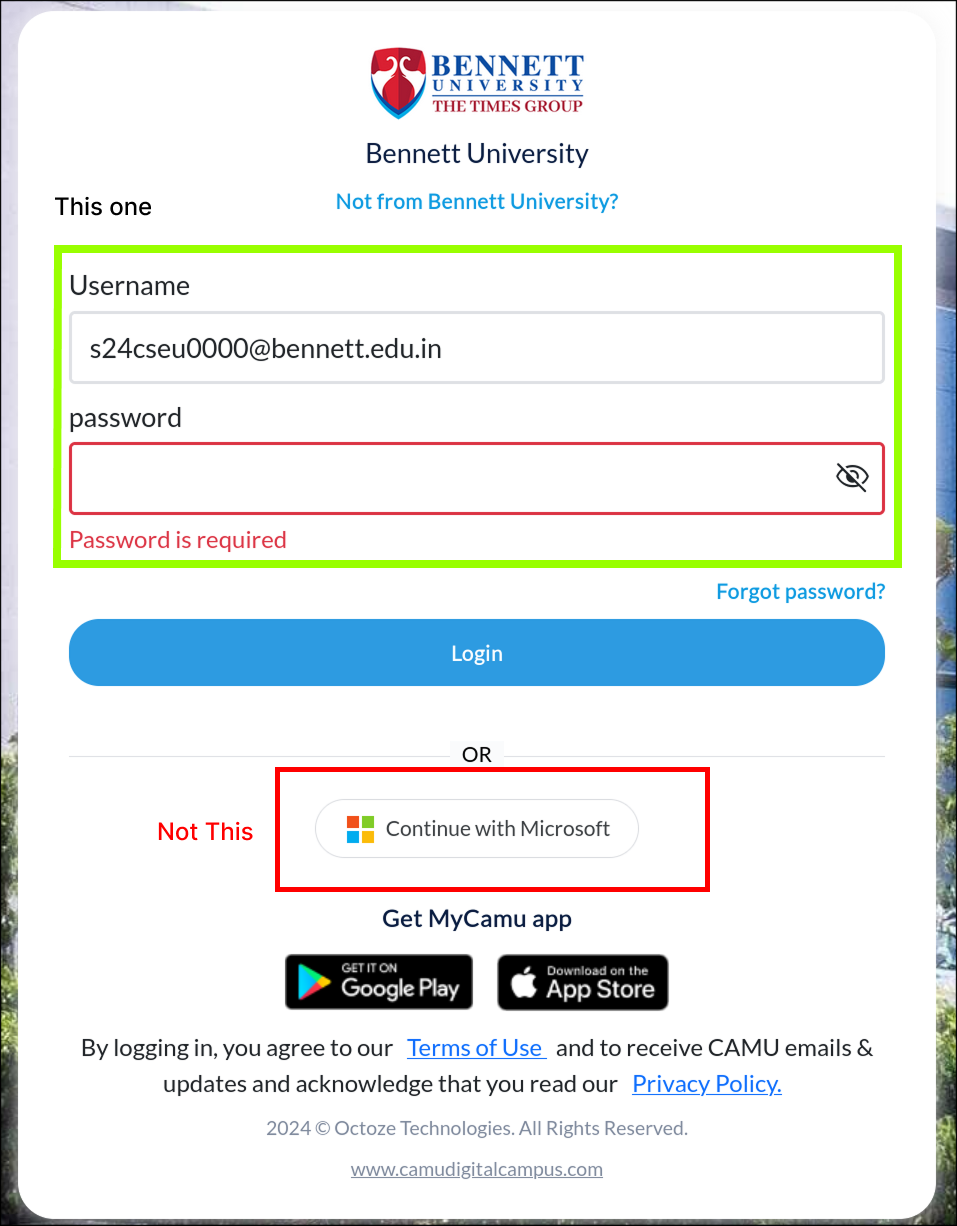
Use Direct Login (Not Microsoft)
There are two login methods on myCamu. You must use the direct login form with email and password fields.
✓ Use This
Direct login with email & password fields
✗ Don't Use
Microsoft/SSO login button
3
Verify or Reset Your Password
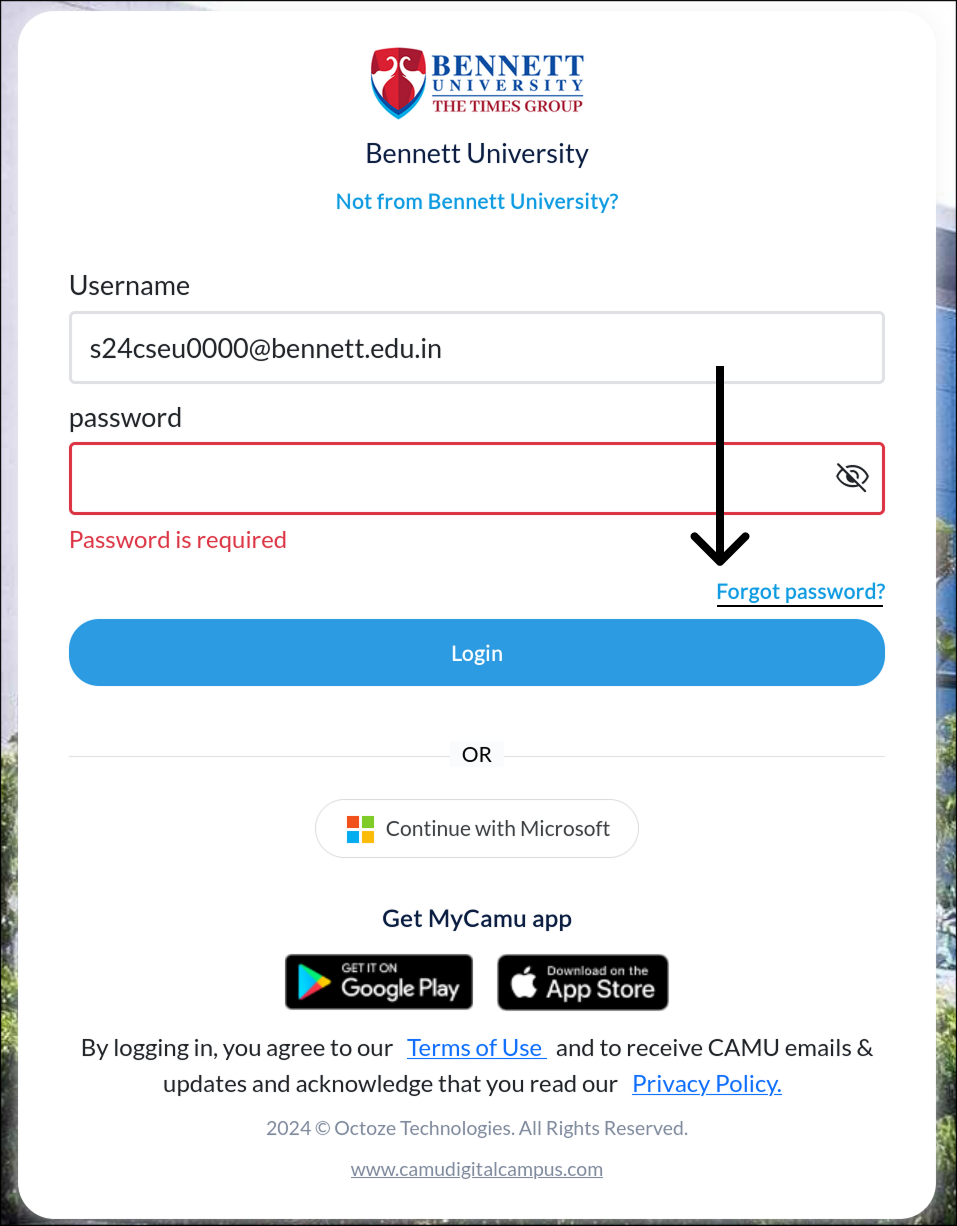
If you're unsure of your direct login password (it may differ from your Microsoft password):
- a.Click "Forgot Password" on the login page
- b.A reset link will be sent to your Outlook email
- c.Set a new password — this is the one you'll use in the app
Important: After 3 wrong attempts, you'll be locked out for 15 minutes. Reset your password first if unsure!
✓
You're Ready!
Once you can successfully log in to myCamu using the direct login, you have the correct credentials to use in the Haram app.